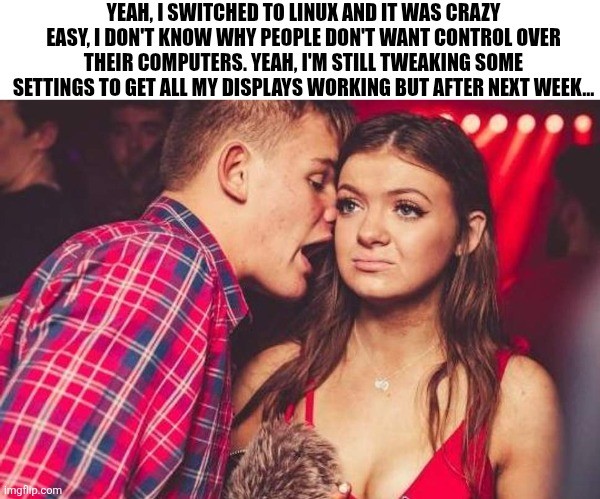
Edit: I’m glad so many of you have had no issues with multiple monitors. My set up is a little unusual (3rd display is an infrequently used large tv hooked through the receiver) and is definitely solveable but will take some effort (and honestly, I’d rather spend my spare time outside or with friends, so who knows when I’ll fix it.)
I haven’t had trouble getting displays working since 2007.
Look at this guy, running a headless workstation
It’s because one of my three is a sporadically used tv that’s hooked up through my receiver system. Windows had trouble with it too and in more irritating ways. I just have to sit down and do some work to create a way to easily toggle between 1, 2 and 3 screen layouts/settings etc.
I wound up using a physical switch that toggles a PC display off and toggles on the TV display so the system just slots it in. It only works because I don’t really need all three working at once (i.e. I just use the TV output to watch TV).
But yeah, neither windows or Linux handles dynamic display changes very well.
I’d posit Linux is still far superior. Especially with stupid little things, like one of my displays acts like it’s fully disconnected when it’s powered off at night. Which then tells Windows to disconnect the screen and fuck up all my app positions regardless of wether, “remember window positions based on connected screens” or what ever is set. It takes many seconds for that asshole to reinitialize the whole fucking desktop, always with programs in the wrong fucking place. Every. Time.
Linux doesn’t give a fuck, changes desktop layout instantly, doesn’t assume where I want my windows, and is by all accounts just far superior. I haven’t messed with this fresh install too much to know if there are weird little edge cases I’m not noticing, but so far, Linux is absolutely kicking Microsoft’s ass and taking its lunch money (I wish more than figuratively).
I have a similar use case with my PC and TV. My PC is across the house from the TV and is connected via an HDMI over Ethernet KVM for when I want to use my PC as a gaming console.
What I ended up doing was creating an automation in Home Assistant to turn on my KVM via a smart plug, then wake-on-lan my PC, and intiate a Steam Big Picture mode gamescope session. This was pretty tedious to get working all together, and startup time is pretty abysmal (around 1 minute to get fully into Steam), but it does actually work consistently.
In case anyone is interested in replicating my setup: I’m running NixOS 25.11 with the Jovian flake installed, and launching my session via the systemd service
run_gamescope. If you’re not on NixOS, you should still be able to build your own solution by emulating the Steam Deck startup services (honestly, it’s not that complicated), or looking into projects like ChimeraOS.Windows had trouble with it too and in more irritating ways.
Honestly, I’m embarrassed how long it took me as a human being to realize that things don’t have to be perfect to be better. I would be way harder on any change than I was with the status quo.
Anyway, yes, especially after having more and more issues with Windows 11 in particular, for me and my use case, Linux is genuinely easier to use day-to-day. Is it perfect? No. Is it better? Yes, no contest.
You guys should really tell us normies how to start. For example, the easiest thing is to check approved hardware for a specific distro. Ubuntu has a list. Nobody told me this in my over 4.5 years working with ubuntu during uni, at work and sometimes at home.
(I don’t get much time to research…)
Good for you. I still can’t get Wayland to support more than one 144Hz display.
Works on my machine
Well, you’ve got two problems to start with:
- You’re using Wayland
- You fell for the superhuman refresh rate hype
You’re using Wayland
It works fine for everything else. Besides, X11 doesn’t even support two monitors with different refresh rates.
You fell for the superhuman refresh rate hype
And you fell for the good old “humans can only see in 35Hz”.
While humans cannot see 144hz explicitly, persistence of vision does not work like a monitor. Your vision DOES see differences. You can still notice how ‘smooth’ motion is at higher frame rates, etc.
That said, framerate isn’t the only stat that improves visual quality. Even wholly outside of color reproduction, having a monitor that supports blanking between frames (frame1, black, frame2, black, etc) can make even the same FPS ‘feel’ smoother and reduce ghosting and other effects from the panel.
Also, there is a BIG advantage of fast panels for variable refresh rates. Even if your game can never run past 60fps, a panel that can push updates very fast generally has a far greater ability to hit the rendered framerate, ‘feels’ more responsive at the same framerate, and often has a greater range of FPS they can support. Basically… there are many good reasons FreeSync has multiple tiers.
So basically… good job falling for ignorant dogma!
High FPS like 144 is noticeable in specific situations in specific games, mainly those with a lot of panning like fast paced FPS or racing games where things move quickly across the screen while the camera is also turning.
I have…
It’s my fault. I bought a Denon reciever and it’s a gigantic piece of shit that loses signal when switching between VRR and…not VRR.
So I used two HDMI cables. One connects directly to TV, the other still goes to the reciever for audio. I can’t disable the secondary non existent screen because it’ll also disable HDMI audio…at least with KDE.
70% of the time I shut off the TV with the PC still on no matter what power settings, the audio dies until I press ctrl+super+F2 to switch to TTY and then F1 to swap back. Idk. It didn’t used to do this but after some CachyOS update it started happening. On Windows I was just fucked and had to reboot, so not any better.
I blame that piece of shit reciever. At some point I have to eat the loss and return to Yamaha.
I have problems to this day with a single monitor setup. When I switch the monitor to another input (e.g. to play with my Switch), KDE Plasma, X, or something else freaks out, about half the time (I’m guessing it has something to do with locking or DPMS timers). When I switch back, it is running that the “safe” 640x480 which can’t display enough of the display settings panel under system settings for me to restore the 1920x1200 monitor native resolution!
Things are better than 2007, and they might be better than MS Windows, but “no trouble” is inconsistent with my experience.
I had issues with it back in 2022 when trying a few different distros. I had 3 monitors of all the same size and I had weird visual glitches when trying to use the ui to set refresh rate or resolution.
Now though? Haven’t had any issues since i switched to Linux as my daily driver in 2024.
I have trouble getting real displays working all the time…
Needing to know which serial port is which and manually tellling the kernel via console=ttyS0,115200 or whatehaveyou is annoying…
What other displays could people mean?
That’s a job for your bootloader
Well it’s not a problem in arm environments generally, just in x86 land, and the bootloaders don’t have a good shot of figuring it out on behalf of the kernel either… There is an ACPI table but no one cares about it in Linux land and is almost never used in Windows land (EMS does support it) and as a result most systems don’t bother doing it at all.
Fake!
All those words and none were “Arch”.It was implied? 🤔🤪
I mean, they joke but inertia is Microsoft’s mightest weapon.
Literally just “My computer works now, why would I want to change it?”
Incidentally, getting someone on Linux (or Apple for that matter) to switch to Microsoft is also like pulling teeth.
Also, for many people, they don’t actually understand the difference between the device and the OS. You buy a laptop and thats the whole thing, including the OS.
Please leave my teeth, I am perfectly happy with arch.
He uses arch btw
My internal dialogue during social events: dont talk about linux, dont talk about foss, dont talk about rodents.
The design history of the XFCE logo has entered the chat.
I will gladly subscribe to any newsletter about those three things.
After 2 drinks:
“See, this is what’s so great about ratpoison:…”
I’m another data point where displays work under Linux better than Windows, making this particular example amusingly wrong.
This is a Dell precision laptop with a dual usb-c connected docking station. Intel cpu plus a discrete nvidia gpu.
Using Cinnamon in X11 on Linux Mint or LMDE, works great.
Using KDE Plasma in Wayland on Debian? Works great!
Using Windows 10? Bzzzt.
I think I’ve had Linux DEs occasionally forget my monitor order & rotation just like Windows would, but out of the box Windows wouldn’t even use all my monitors.
I don’t think a lived experience can be amusingly wrong but to each their own?
My issue comes because my set up is highly unusual, the third display is an infrequently used tv that’s connected through a receiver. With a little bit of fighting I have a workable albeit inconvenient system. A fix is possible but as stated in the meme, it’ll take some effort etc.
I assume they mean that the general sense of “Switching to Linux is easy! I’m still fiddling with basic things but any day now…” doesn’t reflect their own experience, nor that of many others who had less trouble with displays under Linux.
In that context “I have an unusual setup” is an important note: It’s not that Linux struggles with basic things, but that it struggles with some uncommon things that nobody ever built and shipped a proper solution for.
Absolutely true and well put.
I should have said “third display” instead of “all” because my unusual setup is important context. Honestly, I’m also probably not highlighting that enough when evangelizing about it.
To me, a big chunk of the excitement of linux is that regardless of whether linux or someone else is better out of the box, with linux, I can change whatever needs changing. There will always be some tinkering left and nothing stopping me from it!
Likewise, I prefer to stress that my system worked great out of the box. I just couldn’t resist tinkering with the audio setup, because I can and wanted to. I broke something, fixed it again, all is well.
Same for me. In Linux, I plug in USB-C and both monitors in the chain light up every time without thinking.
For some reason, dual boot into Windows and it always disables one of the two by default until I manually go in and tweak it alive, and then it will do it again next time I plug in.
Now back in the day, futzing with XFree86 config files and CRT monitors and absolutely lots of ‘voodoo’ to match what Windows pretty simply did with display configuration. But nowadays at least with kwin wayland compositor on nVidia proprietary drivers, it always does exactly what I expect without asking, and Windows is the one that assumes that I don’t want to use all the displays that are connected.
Windows seems pretty clunky by comparison nowadays when it comes to display configuration.
Now juggling my bluetooth audio… I think Windows still has the advantage. I have no idea why sometimes my bluetooth microphone just doesn’t work under Linux. I do appreciate the ability to manually select the bluetooth codec in Linux where in Windows it ‘guesses’ and often guesses wrong, throwing it into ancient headset codec territory when I’m trying to listen to music, because who knows what has made Windows think the microphone device is open…
Networking… Linux wins hands down with VPN connectivity, much much easier to manage all my VPNs in one place in the ‘casual’ user scenario instead of a litany of competing ‘endpoint managers’ in Windows. When VPNs step on each others routing tables, well no OS makes that easy but at least Linux network namespaces makes it possible for me to have multiple network ‘worlds’ in one place to reconcile the conflicts…
Probably the other area where Windows has a bit of an advantage is a consistent binary driver model. In Linux if you are an out-of-tree driver, it’s going to suck to keep up with changing in-kernel APIs to keep your source compatible, let alone have a module running without a recompile after a minor kernel update. I guess the silver lining is almost everyone decided to have their drivers ‘in-tree’ to make sure they are maintained and don’t need a lot of ugly #ifdefs to contend with multiple kernel behaviors… Then there’s nVidia and some commercial filesystems that either cannot or will not go in-tree…
On my Windows laptop, multi displays barely work with any logic at all.
Last time I used macOS it pretended that displays worked fine (but they didn’t).
I’ve not used Linux much in hotplug monitor setups but I assume the situation can’t be worse.
In some ways better, some ways worse. I lile that not everything resizes incorrectly, several moments after changing the monitors. On the downside, linux assumes third monitor is always on etc which can get annoying.
End result is, currently (and this is probably solveable, I just need to devote the time to being indoors and on a computer) sitting down to watch things on tv is most easily managed by setting up with the regular monitor on etc. But working on the regular monitors or switching a monitor between one computer to another, is much better on linux.
My displays work great on Debian
My 3 monitor setup has been really fantastic after switching to Cosmic desktop. Really really loving the mix of tiling and non-tiling features too.
Tangential to OP but just wanted to throw Cosmic out there for folks who haven’t yet tried it.
Didn’t realize Cosmic went 1.0 in December. How is it? I tried it a few months ago and really liked the tiling features and overall feel, but it was still a bit rough around the edges.
Tbh I have no real complaints. I would eventually like some keyboard shortcuts for moving entire workspaces around without the mouse, but what is there is quite intuitive and I find myself not leaving the keyboard to navigate. The defaults are similar to i3 shortcuts.
I like that they work in tiling and non-tiling mode, and each workspace can be set to either mode at whim.
No issues with stability (which was a problem for me in earlier builds).
I don’t use any of the Cosmic utils, though (text editor, terminal, etc). They seem fine but ymmv.
Edit: actually just thought of one thing… If you move a window from a non-tiling workspace to a tiling one, it stays in non-tiling mode. This leads to a mixed mode workspace and I don’t like that. But it’s easily fixed with mode toggle and only a minor annoyance – ideally I want it to switch to whatever mode the workspace is in.
My displays are even more stable than Windows now. Wayland allows me to throw around applications to different workspaces and monitors that would have literally crashed if I ALT-TABed on Windows.
I use a rolling release distro (void) and I haven’t had to touch my system configuration since I set it up 4 years ago.
Right!? It’s wild having to turn down the babes!
Who would be so heartless as to reject babes? Just look at that cute whittle face…

Removed by mod
Removed by mod
You are trying to get your displays to work since 2003? Damn…
I saw your other comment, still funny
lol, getting all displays working is indeed my biggest worry for my last Windows PC, migrating next month. It has both an NVIDIA and a Radeon GPU, and that works great on Windows. But a quick test boot from USB did not go so well on Ubuntu, so the truth will only come out after a real install with drivers.
Sent this to my normi friends, I’ll keep you up to date…
Update: they only pointed out that my usage of the expression “amirite?” Is out of date.
The trick is to buy linux-approved hardware.
For example, there are specific machines which are approved by ubuntu as officialy working with ubuntu.
Thinkpads are generaly good to use.
Consumer Thinkbooks (Shitbooks) like the 16 G7 IML are NOT at all compatible.
You gotta work your hardware around linux a bit.
Thinkbooks are actually decent (quality-wise), but the ideapads - fuck them, I’m never making that mistake again, I hate typing on practically rocks and having no upgrade path.
Well yea, but that doesn’t change that nothing works on linux on thinkbooks… That was my point
The trick is to buy linux-approved hardware.
So have money.
I have two extra monitors, one of them is technically a small low res LCD TV, another is in an elderly monitor that I can only turn on and off by plugging and unplugging it because its power button work’s 1 out of 1000 times its pressed. They work, why spend money to replace them, they are just used to monitor temps, music players, and Discord.
Also this flies in the face of sustainability. I’d figure sustainability is also a major motivating factor of Linux, given its association with other progressive tech movements like right to repair. If I have some random jank old hardware, it’d be nice to not have to just throw it away for the sake of switching to Linux. In fact, Linux does save some hardware of course and gives them new life sometimes. I’ve revived some old laptops before with it.
I say this as a Linux advocate, I use Windows due to current necessity. I also use Linux (Not just on a Steam Deck, but yes on a Steam Deck). I’d stop using Windows entirely but I’d need to be richer or accept significant downgrades. I’m not the former and I wont do the latter.
I get what you are saying but sometimes new is needed. For example at work they wanted me to have new not used… For some reason. (They paid anyway)
If shit is actively broken and you want to keep using it you should actually fuckin fix it. That is sustainable…what you are doing is just lazy and cheap.
They’re for my personal use and they serve the purpose I use them for fine with a 2 second inconvenience for one of them. Worth saving the money or so to replace them for the time being, especially if I need uniform monitors to maximally work with Linux without issue. Also it reduces e-waste.
I don’t give a fuck about what you think of my character, so the only thing calling me lazy and cheap achieves is just makes me think you’re angry for no good reason.
Pfft, L take, just learn linux from scratch and install linux on a pdf file, partition the machine, make it boot directly the pdf file, and have a working lfs, very customisable as well.
(In case it’s not clear, this is a joke, by which I mean, the part where I recommend this, the process I describe is for some reason an actually doable thing (technically can do it on a piece of salami if you’re rednecked enough))
PDF files are not cheap and not everyone knows how to use them.