$400 FFS. All my phones have been cheaper than this.
Show one of your phone with an e-ink display and full keyboard.
That’s cool! I want one.
I wonder how well Android 14 works with an e-ink device; specifically the animations.
I personally think this is a very stylish device, albeit this could be nostalgia on my part.
https://old.reddit.com/r/motorola/comments/10ru0lz/disable_animations_for_a_much_faster_experience/
Disable animations for a much faster experience
Make sure developer options are enabled. If they’re not, go to Settings > About phone, then tap on Build number several times to enable it
Go to Settings > Developer options, and scroll down to Window animation scale, Transition animation scale, and Animator duration scale.
Tap on each of the animation options and turn them off.
I am assuming this has already been configured by the OEM.
But there are other factors as well beyond “cosmetic” animations. For example the UX around search functions in the OS (e.g. in settings) or certain launcher configuration settings. For example, for an e-ink device, I am assuming you would want to disable folder functionality on your home screen, only allowing individual app icons (“opening” a folder with apps would be slow).
Einks can be fast when they want to be. Some can even show video pretty well.
I preferred the original design that was more squat and less tall. I was going to get it before they changed it.
I still have a blackberry key2…
Maybe i can switch if it dies…
Qwerty keyboard rocks
This is neat, but it suffers the first problem Jobs identified with then-existing smart-phones: keyboard can’t be changed for other languages. I’m happy someone made this, but it has a limited reach. I still hope it succeeds.
I get this is a little pricey but it has expandable storage, a physical keyboard, a headphone jack, dual speakers, dual sim card tray, and a promise of 5 years of security updates.
Those bezels suck though. Either make the screen bigger while keeping the device dimensions or make the device more compact.
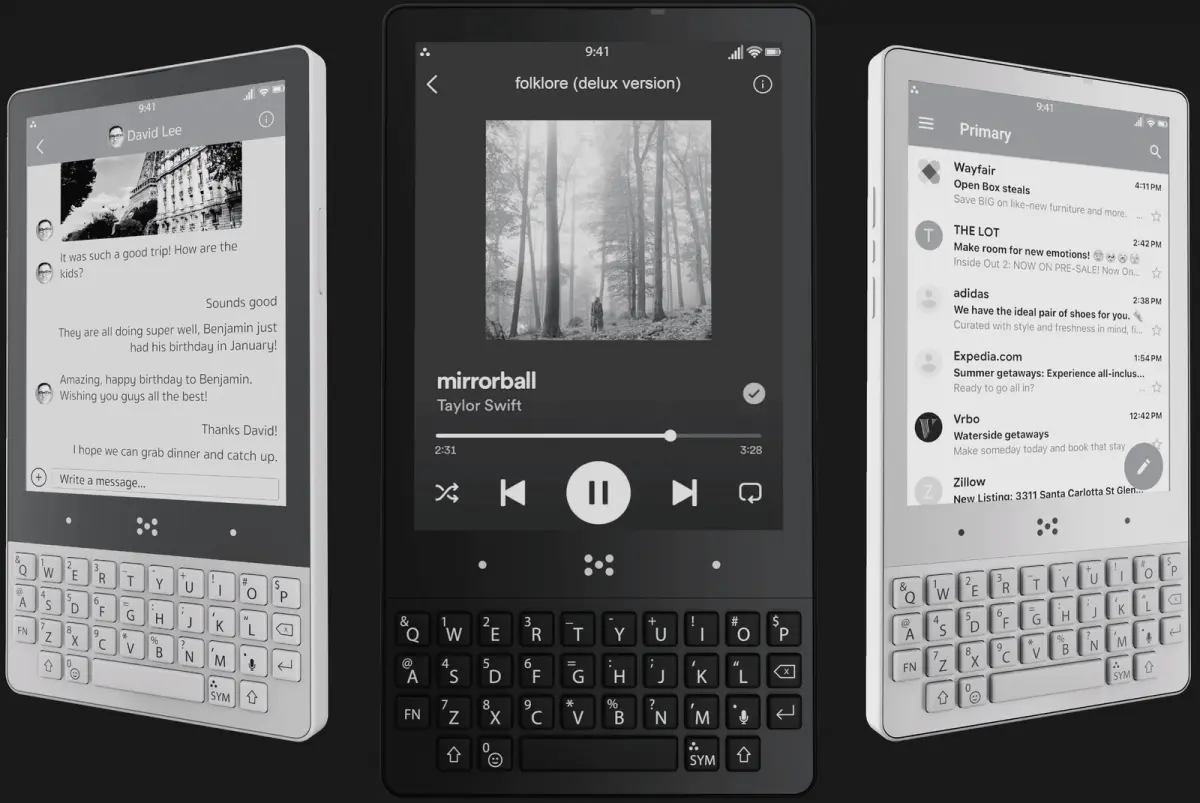
I feel like using such a phone with regular Android apps doesn’t make too much sense. The big advantage of eInk is that it only consumes power if the content changes. But if every letter you type and every second the progress bar of your media player require a refresh of the screen, then you don’t really benefit from that feature. Or do I oversee something here?
Those actions may not require refreshing the entire display.
E-Ink is viewable in sunlight without a backlight. A huge chunk of power for regular displays is the backlight. Here you only need a backlight in darkness, and it can be quite low.
Eh, with full range of Play Services spyware.